You recorded your course once. With AI, it can now speak to learners in languages you don't.
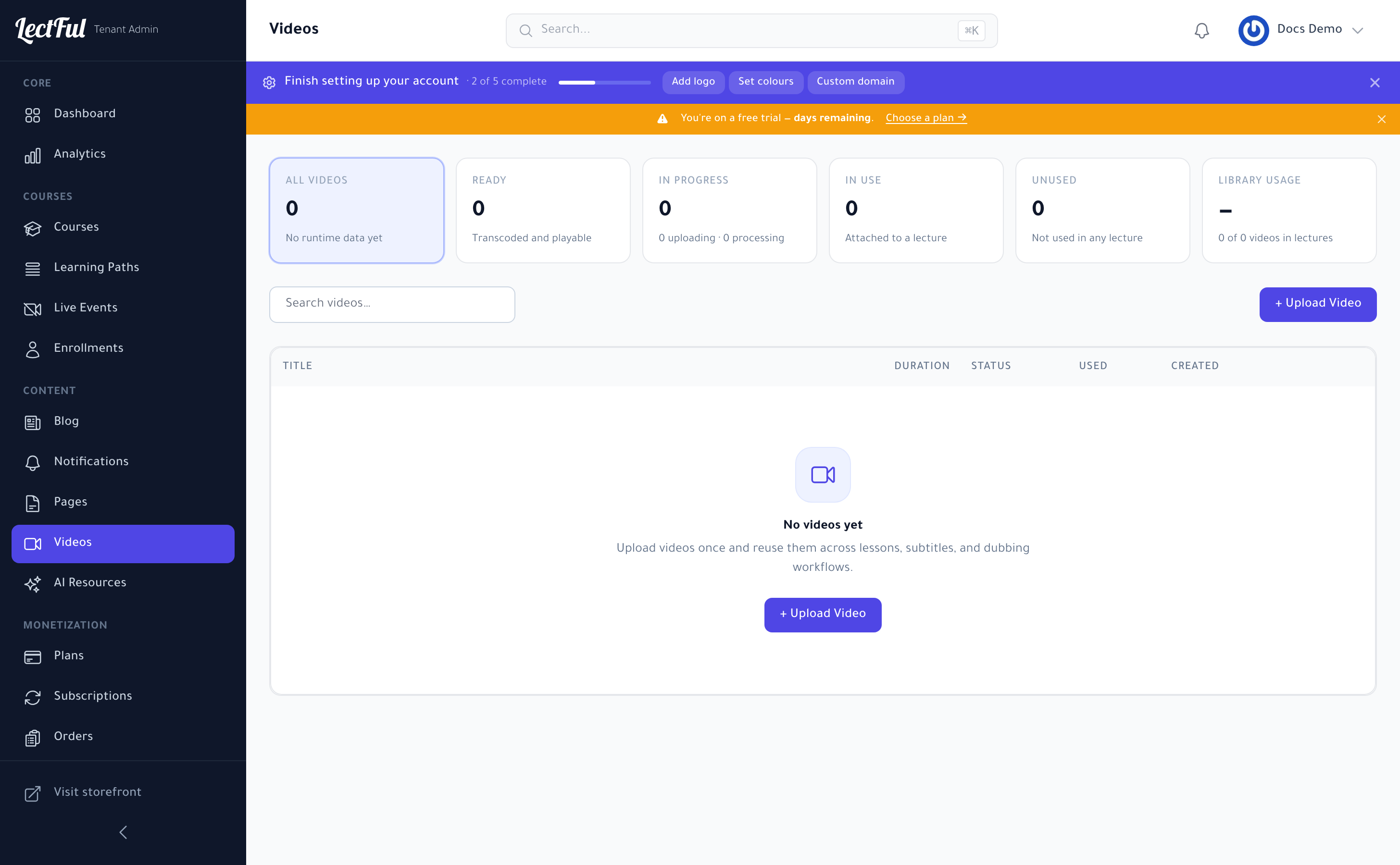
Start in your Videos library
Everything begins in Videos (under Content in the sidebar). Click + Upload Video to add a file — upload it once and reuse it across as many lessons as you like. Lectful transcodes each video for smooth, adaptive playback, and the library tracks each one's status (Ready, In progress) and where it's used. The same file powers your subtitle and dubbing workflows.
Add subtitles automatically
Generate AI subtitles for a video and Lectful creates accurate captions for you. They lift comprehension, make your courses accessible, and keep learners engaged even with the sound off.
Dub into 6+ languages
AI Dubbing translates your video and re-voices it with natural-sounding speech — no re-recording, no studio, no voice actors. One upload can reach learners around the world.
Your storefront speaks their language too
Lectful is fully multilingual, with full right-to-left support for Arabic, so learners browse, buy, and study in the language they're most comfortable in.
A single course, localized, can multiply your addressable audience overnight — one of the fastest ways to grow enrollments without creating anything new.
AI video tools are available from the Explore plan onward.