Your storefront is fully yours to shape. It all lives under Pages in the sidebar, organized into a few clear areas.
Header & footer
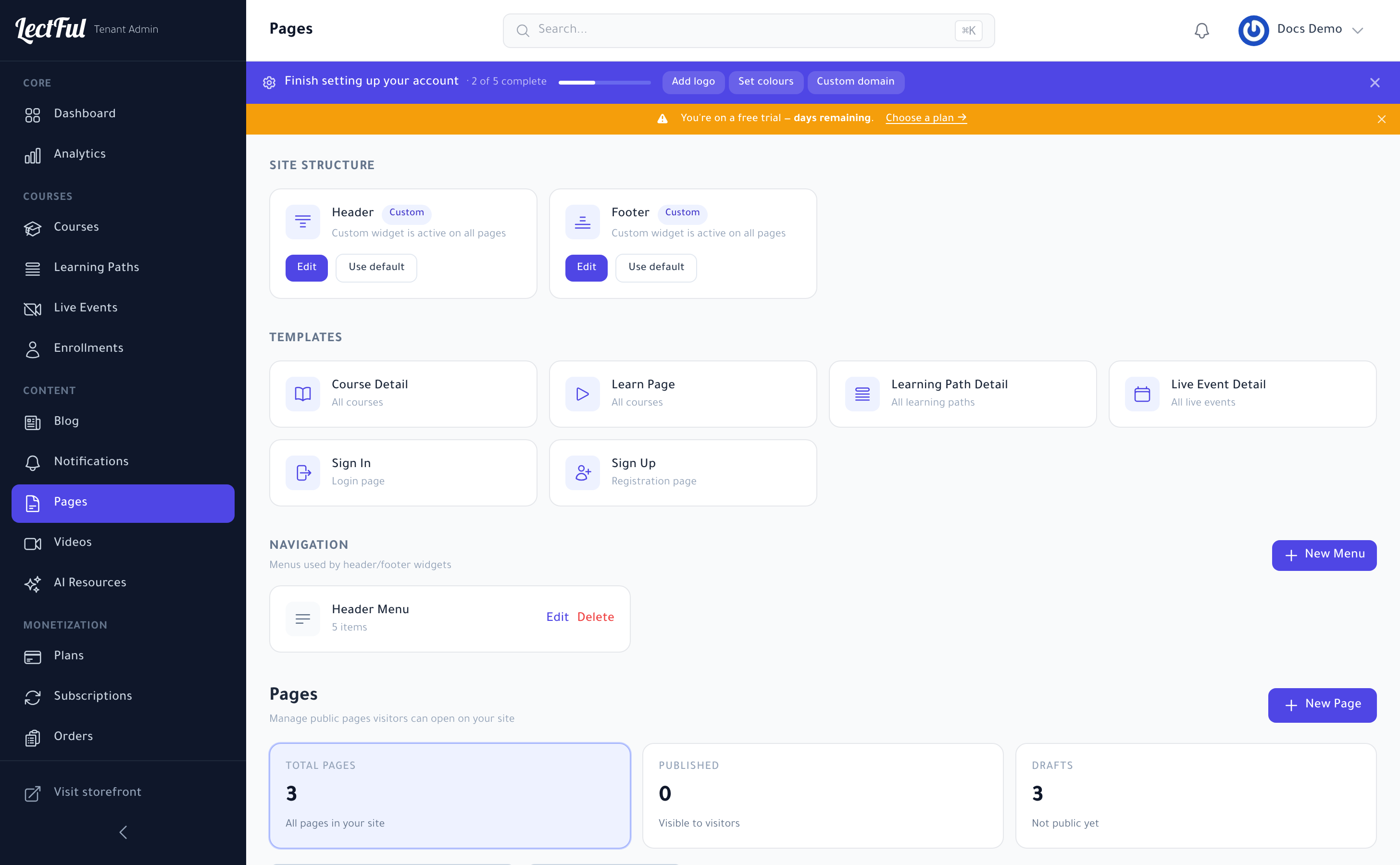
Under Site Structure, customize the Header and Footer that appear on every page. Click Edit to build a custom version with widgets, or Use default to reset. This is where your logo, menus, and calls to action live.
Page templates
Templates control the look of key pages across your whole site:
- Course Detail and Learn Page (all courses)
- Learning Path Detail (all learning paths)
- Live Event Detail (all live events)
- Sign In and Sign Up pages
Edit a template once and every matching page updates — so your academy stays consistent everywhere.
Navigation menus
Under Navigation, build the menus your header and footer use. Click New Menu, or Edit an existing one (like the Header Menu), to add links, drop-downs, and buttons.
Custom pages
Under Pages, click New Page to create anything visitors can open — an About page, a landing page, a sales page. Each page can be Published or kept as a Draft while you work.
Let AI do the heavy lifting: the AI Page Builder generates a structured, styled page for you — describe what you want, then fine-tune. No design skills required.
Preview as you go, publish when you're happy, and your changes go live on your branded storefront.