Every course on Lectful is built in the course editor — one screen where you shape the curriculum, price it, and publish. Here's how it works.
Open a course
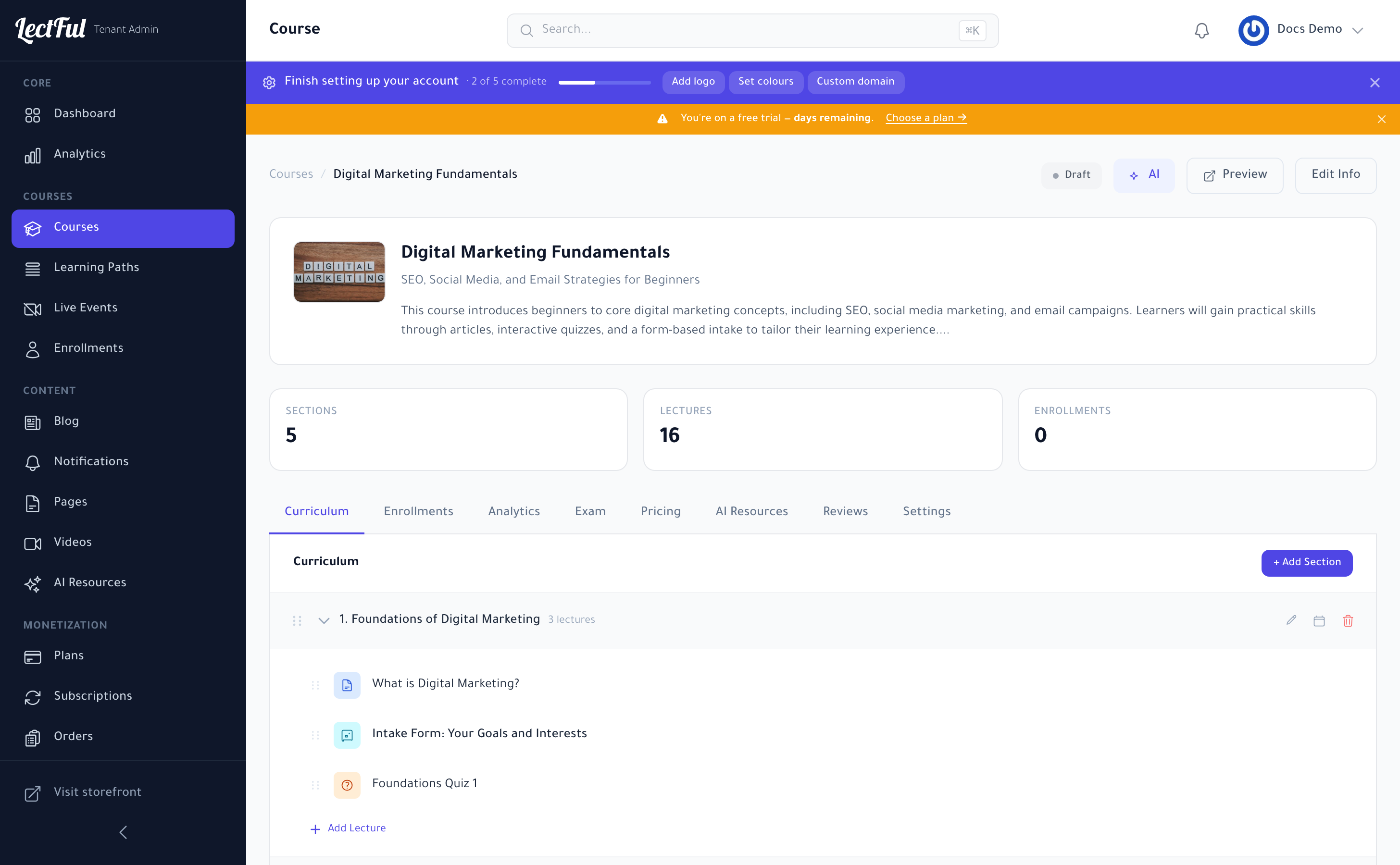
Go to Courses in the sidebar, then click Open on any course. To start fresh, use + New Course, or let AI draft one with Generate with AI. At the top of the editor you'll see the course status (Draft / Published), plus Preview, Edit Info, and an AI assistant.
Build the curriculum
On the Curriculum tab, your course is organized into sections (modules), each holding lectures:
- Click + Add Section to create a module.
- Inside a section, add lectures — Lectful supports several types:
- Text / article lessons for written content.
- Video lessons (upload, or reuse from your Videos library).
- Quizzes to check understanding.
- Forms (like an intake form) to learn about your students.
- Drag the handles to reorder sections and lectures, and use the row icons to edit, duplicate, or delete.
Keep sections focused — one theme each — and end them with a short quiz. It lifts completion and gives learners a visible sense of progress.
Everything else lives in tabs
The editor keeps the whole course in one place:
- Pricing — set the price (or make it free) and add offers.
- Exam — add a graded final exam.
- Settings — completion rules, certificate, and more.
- AI Resources — enable the AI Tutor for this course.
- Enrollments / Analytics / Reviews — see who's enrolled, how they're doing, and what they think.
Preview and publish
Use Preview to see the course exactly as a learner will. When it's ready, switch the status to Published and it goes live on your storefront.
In a hurry? Generate with AI creates the sections, lessons, quizzes, and even an intake form for you — then you just refine.