As your academy grows, you'll want teammates to help — without handing everyone the keys to everything. Lectful's roles & permissions give each person exactly the access they need.
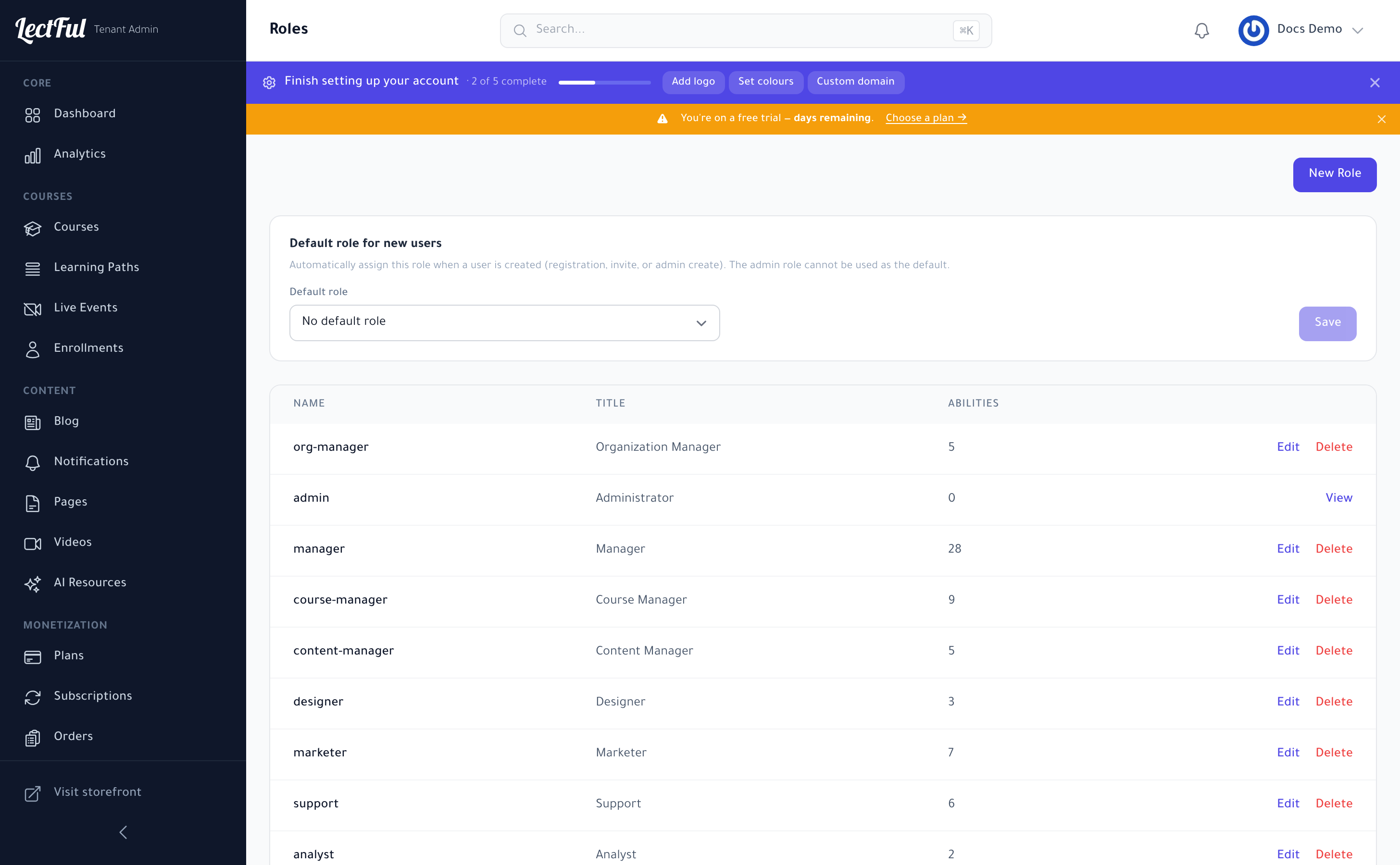
Built-in roles
Go to Users → Roles to see the roles that ship with Lectful, each with its own set of abilities:
- Administrator — full access.
- Manager — broad management access.
- Course Manager — create and manage courses.
- Content Manager — manage content like the blog and pages.
- Designer — branding and design.
- Marketer — marketing tools and campaigns.
- Organization Manager — manage organizations (for B2B).
Create a custom role
Click New Role to define your own. Give it a name and title, then pick exactly which abilities it grants. You can edit any non-admin role later to fine-tune its permissions.
Set a default role
Under Default role for new users, choose the role automatically assigned when someone registers, is invited, or is created by an admin — then click Save. (The Administrator role can't be the default, for safety.)
Add your team
In Users → Users, invite teammates and assign each the right role. They'll only see and do what their role allows.
Give instructors the Course Manager role and support staff something lighter. Everyone stays productive, and your account stays secure.
Role-based access is available on the Scale and Elevate plans.