Recorded courses scale. Live sessions connect. With Lectful you can schedule live classes and webinars in a few clicks — then reuse the recordings afterward.
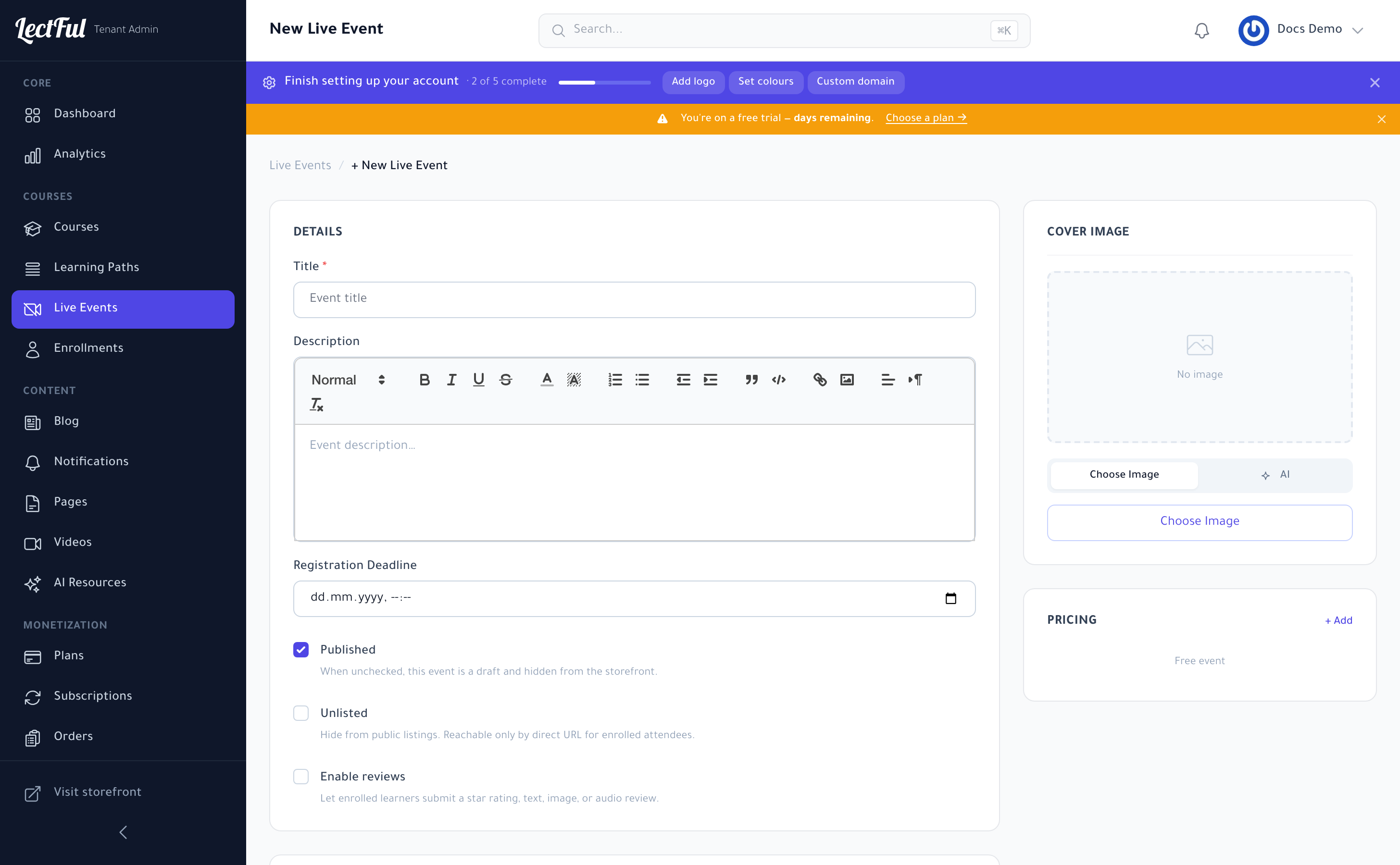
1. Create a live event
Go to Live Events in the sidebar and click + New Live Event. Give it a title, a description, and (optionally) a cover image — you can even generate one with AI.
2. Set access and registration
- Registration Deadline — the cut-off for signing up.
- Published — leave on to show it on your storefront; uncheck to keep it a draft.
- Unlisted — hide it from public listings so it's reachable only by direct link (great for private or premium sessions).
- Pricing — keep it free, or click + Add to charge for access.
3. Choose your meeting provider
Under Sessions, pick how the meeting link is created:
- Google Meet — connect Google Calendar and Lectful generates Meet links automatically.
- Microsoft Teams — connect Teams for automatic Teams links.
- Manual link — paste your own meeting URL (Zoom, etc.).
4. Add your sessions
Click + Add Session and set the date and time for each. Run a one-off webinar or a full series — add as many sessions as you need. Then click Create Event, and it appears on your storefront for learners to register.
After the session, add the recording to a course so latecomers and future learners never miss out — one hour of your time, endless reuse. And a recurring live Q&A is one of the best reasons for learners to upgrade to a membership.
Why live matters
Live events build accountability, community, and trust — the very things that turn casual learners into loyal fans (and repeat buyers).