Beyond selling single courses, Lectful lets you bundle courses into plans — subscriptions or memberships that unlock a set of courses. Perfect for recurring revenue, all-access passes, and cohorts.
Create a plan
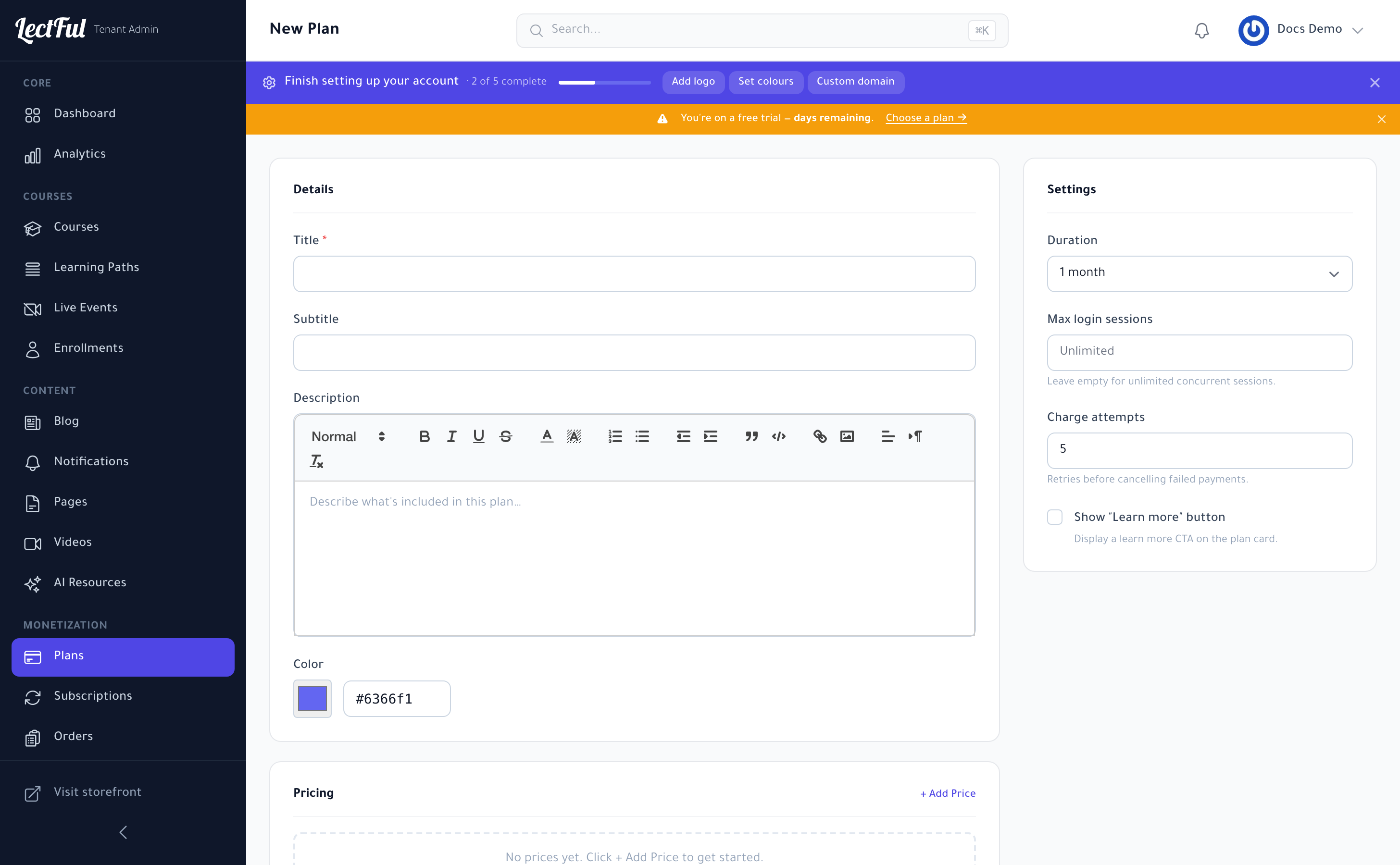
Go to Plans (under Monetization in the sidebar) and click + New Plan. Then fill in:
Details
- Title and Subtitle — what the plan is called on your storefront.
- Description — a rich-text summary of what's included.
- Color — the accent color for the plan card.
Settings
- Duration — how long access lasts (e.g. 1 month), which sets the billing interval for subscriptions.
- Max login sessions — cap concurrent logins per member (leave empty for unlimited).
- Charge attempts — how many times to retry a failed payment before cancelling.
- "Learn more" button — optionally show a CTA on the plan card.
Set the price
In the Pricing section, click + Add Price to set what the plan costs, in your currency, so learners can subscribe.
Offer a monthly and a yearly price. Paying yearly up front improves cash flow and retention — a small annual discount nudges people to commit.
Add features and included courses
- Features — add bullet points that sell the plan (what members get).
- Included Courses — search and add the courses this plan unlocks. Members get instant access to everything you include.
Click Create Plan, and it appears on your storefront for learners to subscribe.
Or sell a single course
Prefer to sell a course on its own? Open the course and use its Pricing tab to set a one-time price — no plan needed. Mix and match: some courses à la carte, others bundled into an all-access plan.