Put your academy on your own brand — like learn.yourbrand.com — instead of the default subdomain. It builds instant trust and keeps every visitor inside your world.
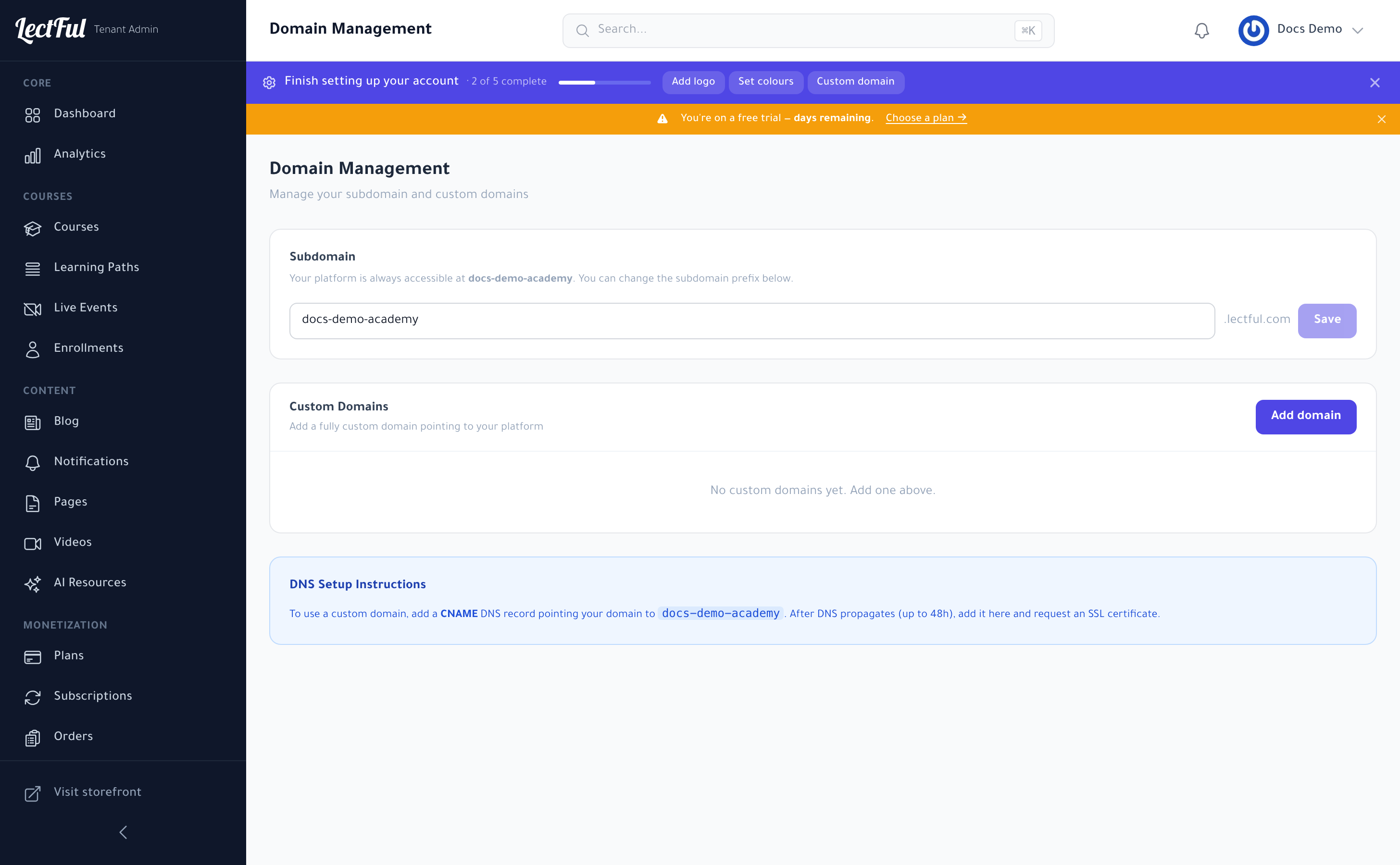
Your default subdomain
Every academy starts on a free subdomain (e.g. yourname.lectful.com). You can change the prefix anytime under Settings → Domains, in the Subdomain section — edit it and click Save.
Add a custom domain
Under Settings → Domains → Custom Domains, click Add domain and enter the domain (or subdomain) you want to use.
Point your DNS
At your domain registrar, add a CNAME record pointing your domain to your Lectful subdomain — the DNS Setup Instructions on the page show the exact target to use.
DNS changes can take up to 48 hours to propagate. Once they do, come back to this page, add the domain, and request an SSL certificate so your site loads securely over HTTPS.
That's it — your academy now lives on your own domain, fully branded and secure.
Custom domains are available from the Launch plan onward.