Before you invite anyone in, it's worth seeing your academy the way your learners will. Everything you build in the admin dashboard — courses, branding, pages — renders into a fast, mobile-friendly storefront on your own domain. Here's what that looks like and how students move through it.
The home page
This is the first thing a visitor sees. Your logo sits top-left, your main pages run across the navigation, and a Sign In link waits in the corner for returning students.
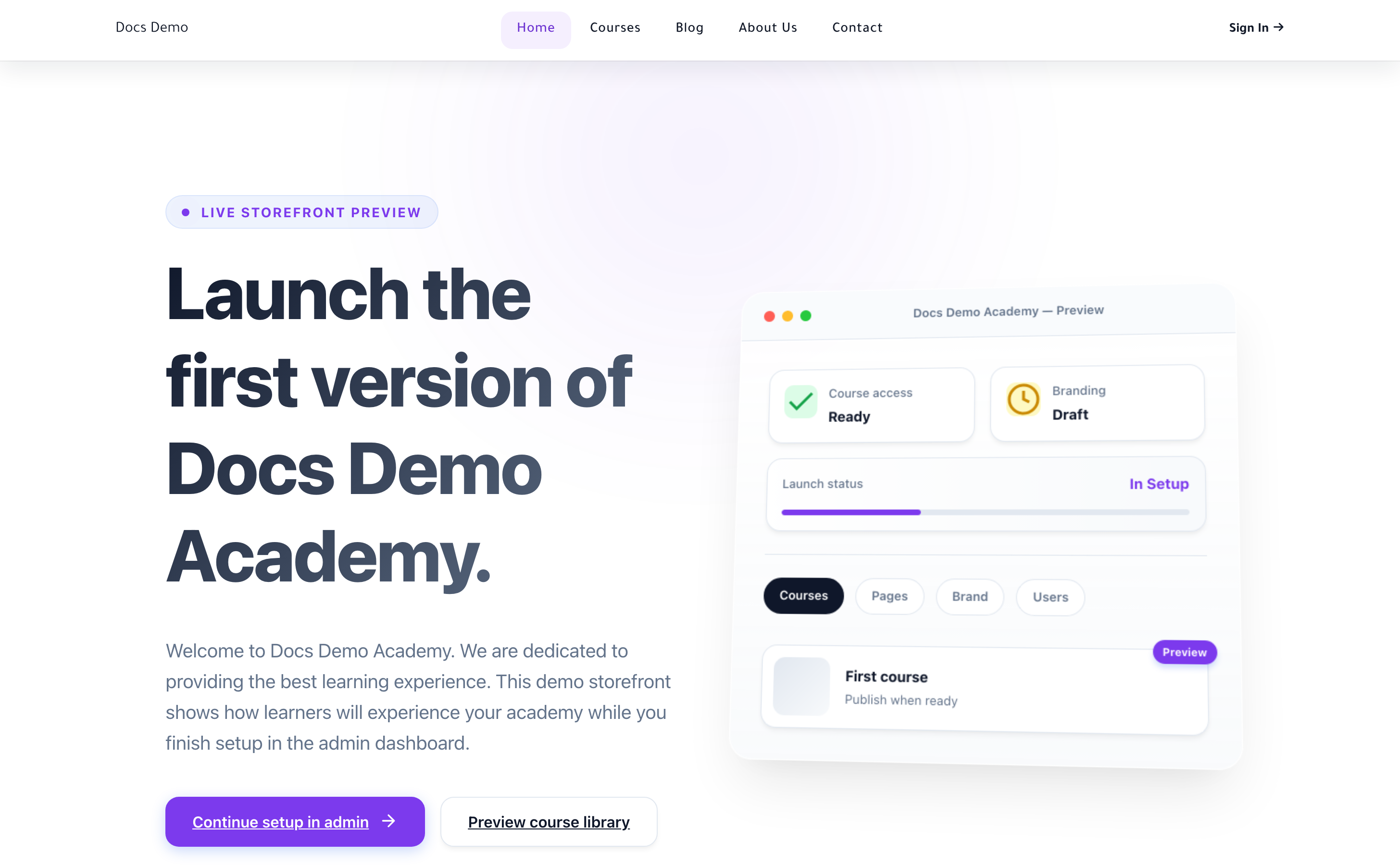
The hero, the sections beneath it, and every colour and font are yours to shape — see Build a storefront that sells and Brand your academy. What you're looking at above is the default layout on a fresh academy; most creators have it looking like their brand within an afternoon.
The Courses, Blog, About and Contact links in the top navigation are all pages you control. You can rename them, reorder them, hide them, or add your own — nothing here is fixed.
Browsing the catalogue
When a learner clicks Courses, they land on your catalogue: every published course, with its cover image, title, and price. Free courses show a clear call to enrol; paid courses show the price and a checkout button.
Learners can open any course page to read the full description, see the curriculum outline, and watch a preview lesson if you've marked one as free. This is where a browsing visitor decides to become a student — so a strong course description and cover image matter.
Signing in and the learner dashboard
Returning students click Sign In and land on their personal dashboard: the courses they're enrolled in, where they left off, and what's next. From there, one click takes them into the lesson player.
Learners only ever see your storefront on your domain. There's no Lectful branding in their way, and they never see the admin dashboard — that's yours alone.
What to do next
- Publish at least one course so the catalogue isn't empty — Inside the course editor
- Make the home page yours — Build a storefront that sells
- Then read How learners enrol and start a course to follow the next step of their journey
Seeing your academy through your learners' eyes is the fastest way to spot what's missing. Take the tour, then go fill the gaps.